

TempPad - My First Chrome Extension
A temporary pastebin for you browser


I constantly find myself having to keep snippets of text handy for short periods of time. And sure, there are probably hundreds of tools to help manage this in one way or another, but I found myself wishing for a good Chrome extension that would work like a temporary pastebin inside the browser. I copy and paste a lot of passwords, API keys, and general ephemera that I don’t want to autosave, either for security reasons or because I don’t want my Notepad to show up on an episode of Hoarders someday. I previously mentioned a way you can make a temporary notepad in an empty Chrome tab, but even that felt a bit unwieldy.
My solution? I put together my first Chrome extension, called TempPad, - that lives with your extensions. It’s basically a one-trick pony - you open the extension and you have a place you can save text within your browser session, and it persists until the browser closes. I also included a word count to make ad-hoc word counting easier. For the instances where I do end up wanting to save the contents of TempPad, there’s an export button that will save your TempPad as a .txt file. Throw in dark mode, and that’s the full feature set.
TempPad started as a scratch-my-own-itch project, but it’s already earned a permanent spot in my workflow. It’s lightweight, does exactly one thing, and then politely disappears when the browser closes, which is exactly what I wanted. If that sounds useful to you too, it might be worth a try.
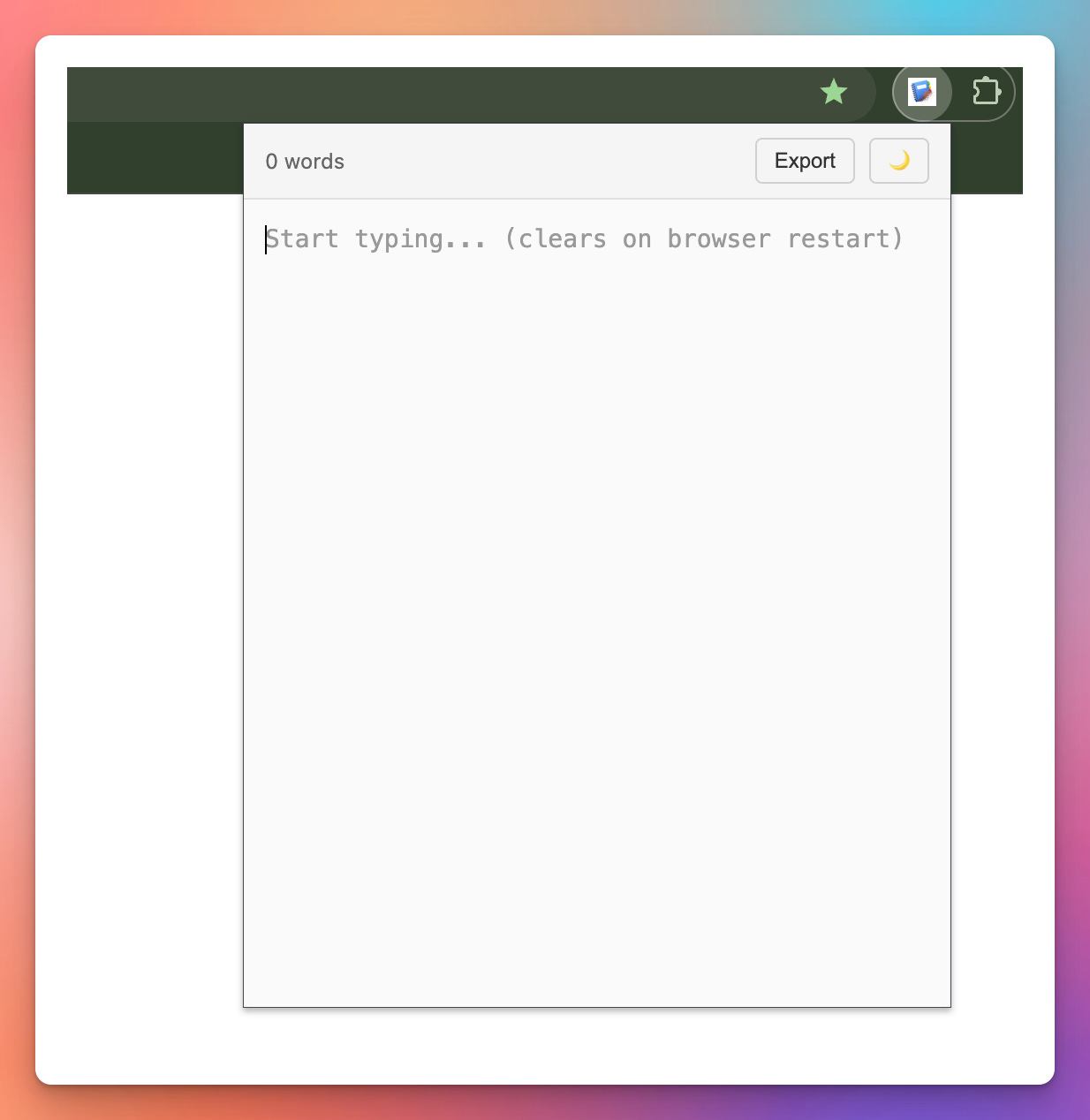
Description
TempPad is a simple, fast notepad that lives right in your browser toolbar. Perfect for jotting down quick notes, drafting messages, or storing temporary information during your browsing session.
Key Features:
• Quick access from your toolbar - one click away
• Auto-saves as you type - never lose your notes
• Live word count to track your writing
• Dark mode for comfortable nighttime use
• Export to .txt file with timestamps
• Clean, distraction-free interface
• Automatically clears on browser restart for privacy
Perfect for:
- Quick note-taking while browsing
- Drafting emails or messages
- Temporary clipboard storage
- Jotting down ideas or reminders
- Shopping lists and to-dos
- Any text you need just for today
Privacy First:
All data is stored locally in your browser. Nothing is sent to external servers. Your notes automatically clear when you close Chrome, ensuring your temporary thoughts stay temporary.
Why Temporary Notepad?
Sometimes you just need a place to write something down without the commitment of saving a file or opening a full app. Temporary Notepad is designed for exactly that - quick, temporary text storage that’s always accessible and automatically cleans up after itself.
No ads. No tracking. No accounts required. Just a simple notepad when you need it.