

Analyze Suspicious Emails Quickly and For Free
Sublime Security's EML Analyzer is, well, Sublime


Sublime Security, an agentic email security platform, offers a free tool called EML Analyzer that makes analyzing suspicious emails fast, accessible, and surprisingly user-friendly. It fills a long-standing gap between manually parsing email headers and detonating messages in a full dynamic analysis sandbox—especially for people who aren’t full-time security administrators.
For K12 technology directors who handle phishing investigations as one of dozens of “Other Duties as Assigned,” EML Analyzer is a standout tool. It removes much of the grunt work from email analysis and replaces it with a clear, visual, and actionable report.
What does EML Analyzer do?
EML Analyzer allows you to upload a suspicious email file (.eml) and quickly receive an assessment of how dangerous—or benign—the message is.
To get started, download the .eml file from your inbox, SIEM (Security Information and Event Management system), email security platform, or other questionable source, and upload it to the EML Analyzer dashboard.
If you don’t have a suspicious message handy, Sublime provides several sample emails across common attack categories, including:
HTML smuggling links
QR code phishing
VBA macro malware
And more
This makes the tool easy to explore without needing a live incident.
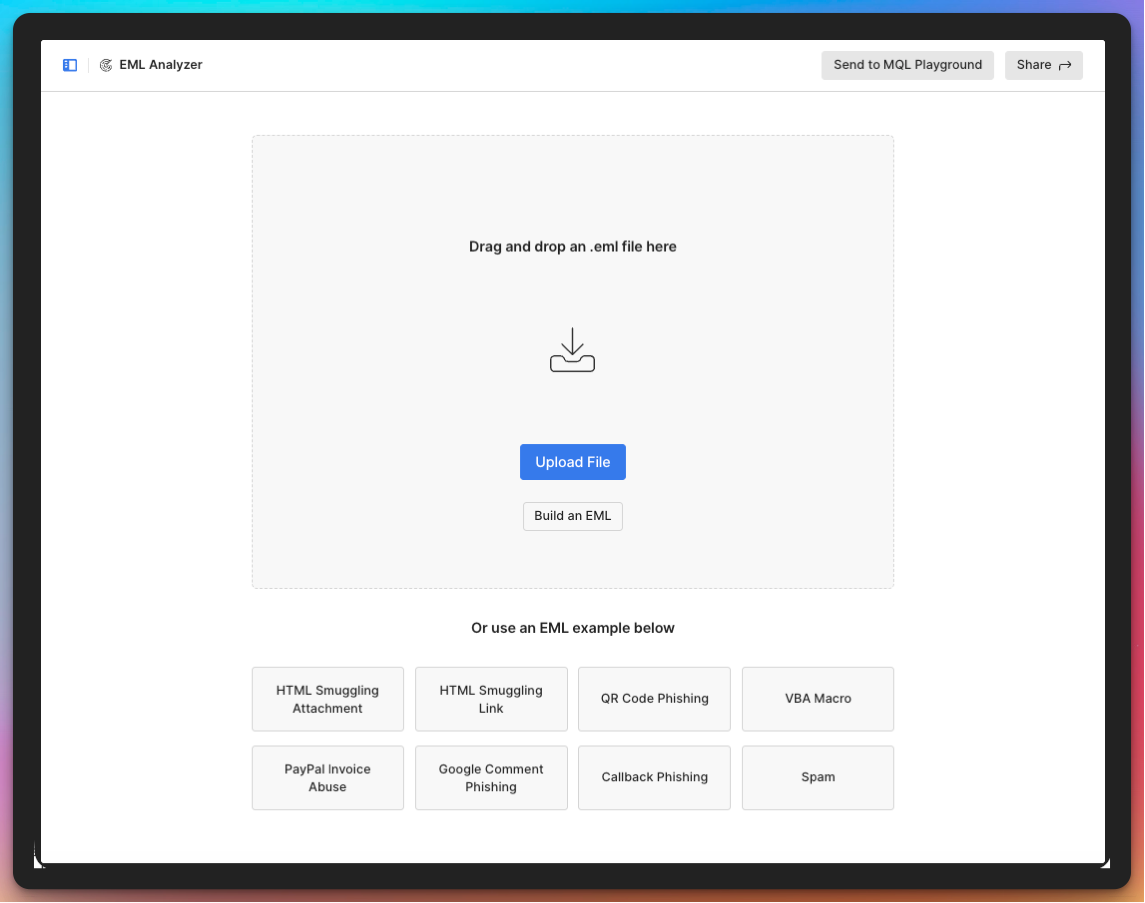
After submitting the message, the report displays instantly in a few key sections:
Analysis and Summary
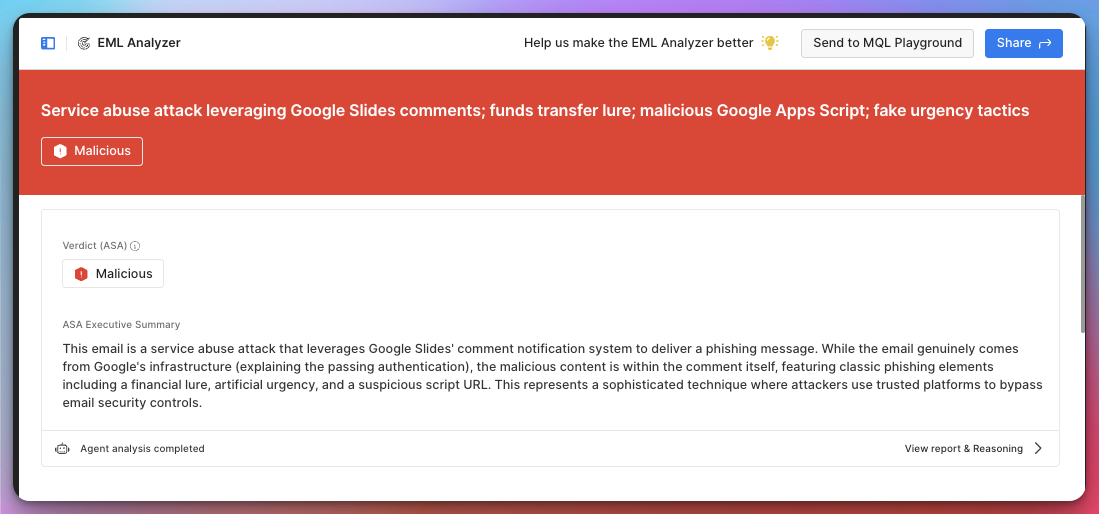
At the top of the report, EML Analyzer displays a prominent banner indicating the overall risk level of the message. This is paired with an executive summary explaining why the email was classified the way it was.
There’s also a “View report and reasoning” link, which opens a detailed panel showing the specific indicators and logic Sublime used to reach its conclusion—useful both for learning and for documentation.
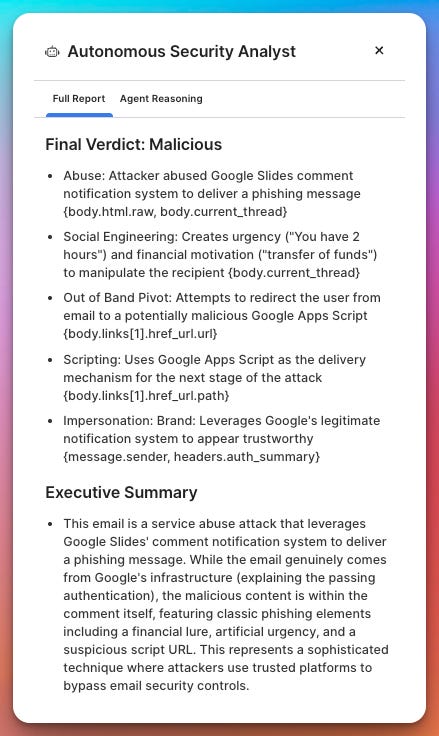
Message Details
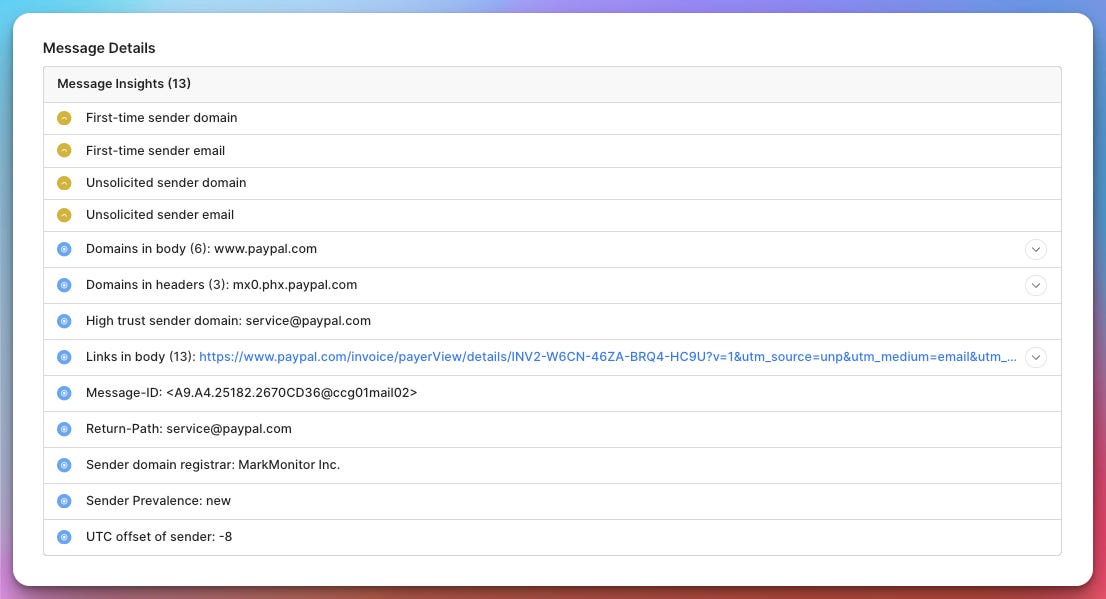
The Message Details section focuses primarily on header analysis, but it goes beyond simple parsing. EML Analyzer evaluates header attributes for legitimacy and consistency, helping identify spoofing and other red flags.
While I’m not a Sublime customer, the platform can also incorporate additional context for customers, such as how frequently a sender has appeared in your tenant.
Message Content (incl. the rendered message)
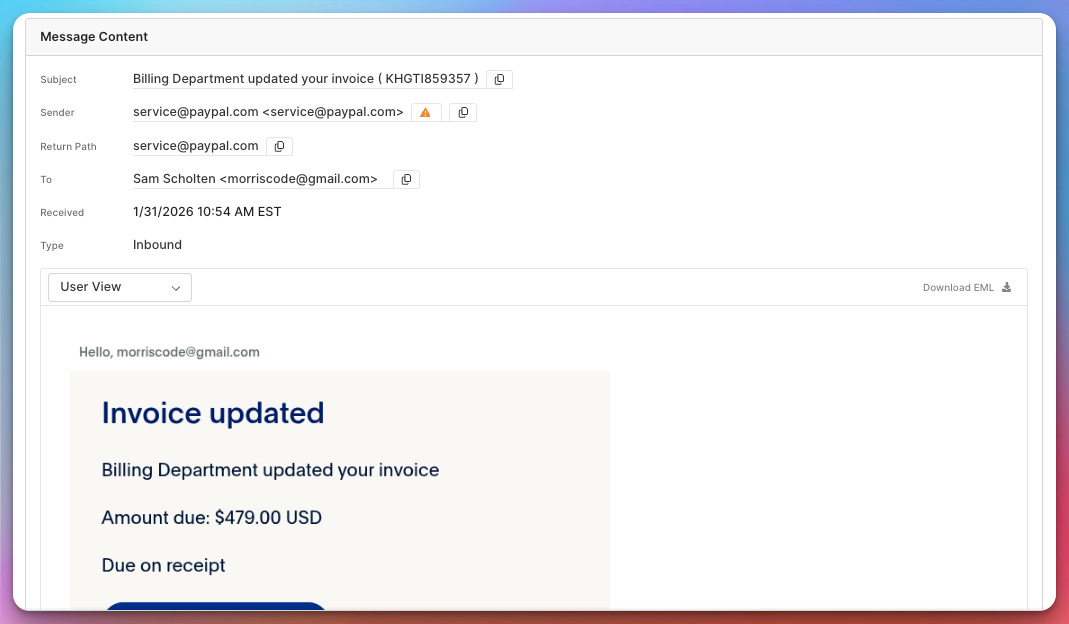
One of the most useful features is the ability to safely view the fully rendered email in User View mode. This allows you to see exactly what an end user would have seen without risking a click.
You can also switch between multiple representations of the message:
Plain text
Raw EML
HTML
MDM (Message Data Model), the structured schema EML Analyzer uses internally
This is particularly helpful for deeper investigations or training purposes.
Sender Details
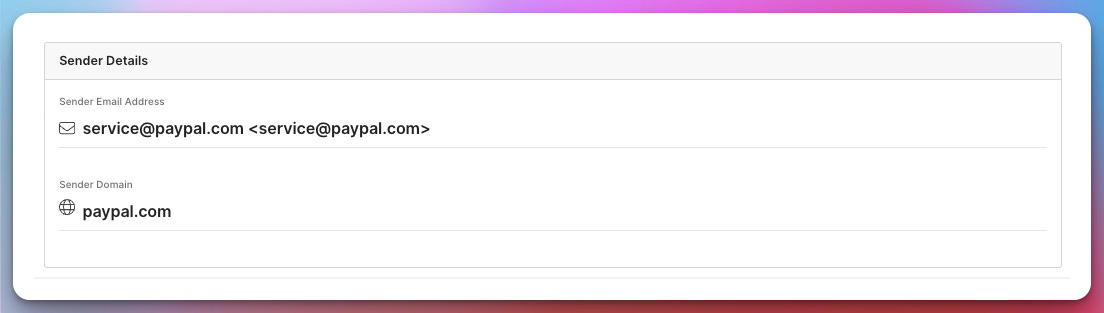
At the bottom of the report, EML Analyzer summarizes sender information, including the email address and sending domain, giving you a quick reference point for further blocking or reporting actions.
How does it work?
When you upload an email, EML Analyzer parses it into a structured schema and evaluates it using a robust set of detection rules.
Notably, these detection rules are open source and publicly available through Sublime’s Core Feed, which can be found at:
https://sublime.security/feeds/core/
For educators and technologists, this transparency is refreshing; it allows you to understand why a message was flagged, not just that it was.
Other Features
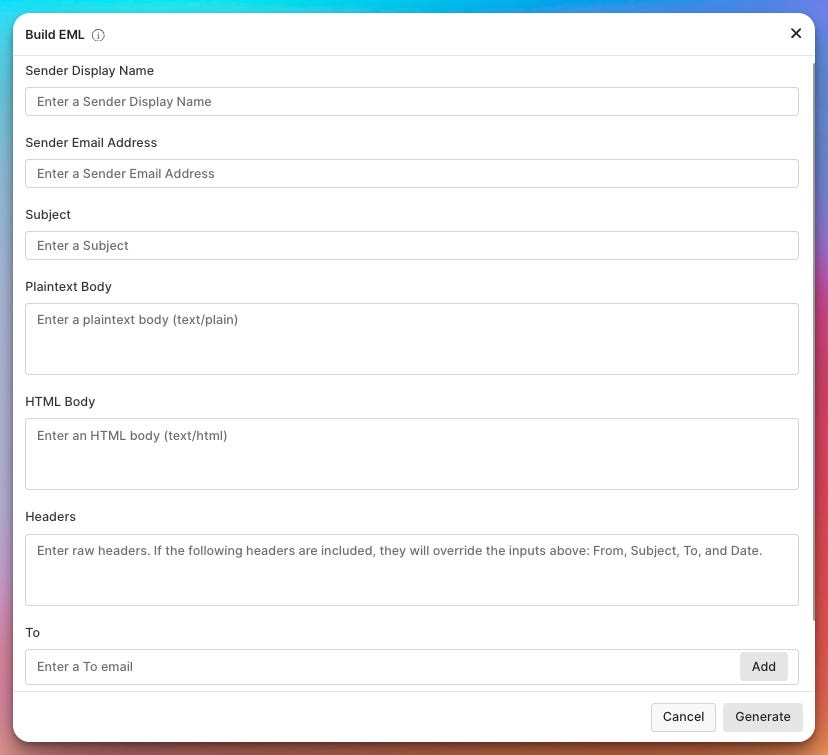
In addition to uploading or selecting sample emails, EML Analyzer includes a “Build New EML” feature.
This tool lets you manually construct an email by filling in raw message details through a form. EML Analyzer then builds the message and analyzes it as if it were a real submission—useful for testing, training, or experimenting with specific scenarios.
When Should Schools Use EML Analyzer vs. a Sandbox
Both EML Analyzer and dynamic analysis sandboxes (like our previously discussed Any.run platform) have a place in a school’s security workflow—but they serve different needs.
Use EML Analyzer When:
You need a fast answer to “Is this phishing?” without spinning up heavy tooling
The incident is user-reported and you’re triaging multiple tickets at once
You don’t have a dedicated security team or full-time SOC staff
You want explainability, not just a verdict, to support decision-making or staff training
You’re working with limited budget or time, which is most K12 environments
For most day-to-day phishing investigations—fake invoices, credential harvesting, QR codes, suspicious links—EML Analyzer is the quickest path from report to resolution.
Use a Sandbox When:
The email contains an attachment that may execute code (macros, scripts, executables)
You suspect novel or targeted malware that static analysis might miss
You need behavioral evidence (file system changes, network calls, process execution)
The incident has higher stakes, such as possible lateral movement or admin credential exposure
Sandboxes are powerful, but they’re also slower, noisier, and often overkill for routine phishing reports.
The Practical K12 Takeaway
For schools, the right approach is rarely either/or—it’s EML Analyzer first, sandbox second.
Use EML Analyzer as your frontline triage tool to quickly assess risk, document findings, and resolve the majority of incidents. Escalate to a sandbox only when the message includes active content or shows indicators that warrant deeper behavioral analysis.
This layered approach keeps investigations efficient, defensible, and realistic for K12 IT teams juggling security alongside everything else.
In the end, EML Analyzer is a rare security tool that respects the time and context of K12 IT leaders. It’s fast, free, transparent, and educational, making it an excellent addition to the incident response toolbox for schools that don’t have dedicated security teams.